
Best Typing Programs for Kids 2026
A parent’s guide to finding the best typing programs for kids
Choosing the right typing programs for kids is harder than it looks. There are dozens of options. Some are free while others cost real money. Some are genuinely built for children — and some just say they are.
The difference matters more than parents expect. A child who finds typing frustrating at age eight tends to stay frustrated. A child who finds it satisfying keeps going. That’s the whole game.
Every typing program for kids here was evaluated on what actually matters to your children’s learning process:
- how well it holds a child’s attention over weeks, not just minutes.
- how structured the learning path is.
- whether adaptive or AI-driven features are doing real work — or just marketing.
- Pricing, age fit, and device compatibility are covered throughout.
- Wrong place? Here is our list of the best typing programs for adults.
- Homeschool? Our list of the best homeschool typing programs.
What’s in this guide
From full curricula to free games.
Some typing programs for kids here offer structured lesson sequences, progress dashboards, and long-term skill-building. Others are free tools — useful once the basics are in place, less useful before.
Specialist options, flagged clearly.
Two typing programs are designed specifically for children with dyslexia or language-based learning differences.
Honest on age fit.
A seven-year-old learning key positions and a ten-year-old who already hunts and pecks are in genuinely different places. The descriptions reflect that, too.
How to use this guide
Rankings run strongest first. If you already know your child’s age or situation, the age-band sections further down the page will get you there faster.
Best Typing Programs for Kids
| Typesy | KAZ Typing | TypingClub | Typesy Homeschool |
|---|---|---|---|
 |  |  |  |
| Go To Website | Go To Website | Product Info | Go To Website |
| from $7/month | $39 | Free | $6-$30/month |
| ★★★★★ | ★★★★☆ | ★★★★★ | ★★★★★ |
*Disclosure: This post contains affiliate links. Read the full disclosure below.
1. Typesy Individual
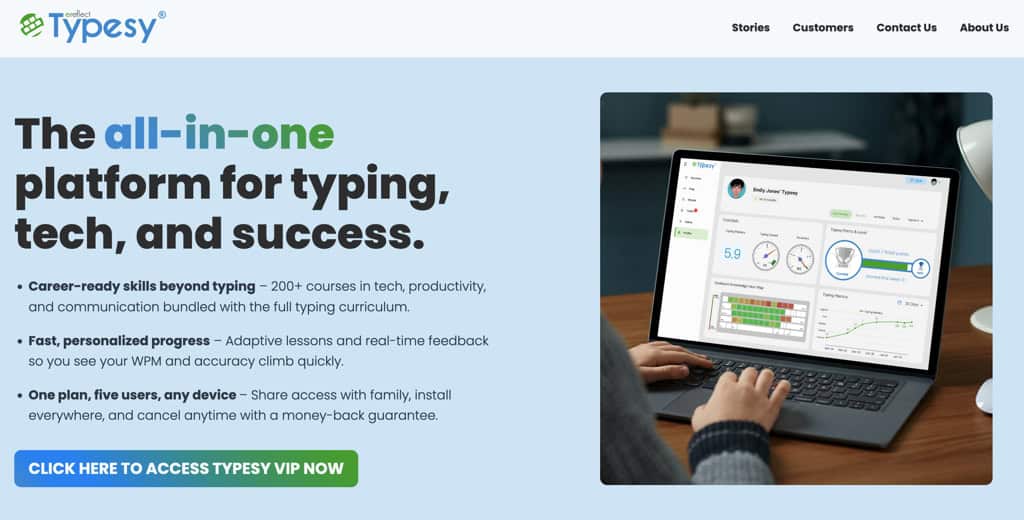
Typesy (visit website) is a structured online typing program built for children from around age 7 onward — and for parents who want more than a glorified practice loop. This structured sequencing is what many programs often get wrong, and Typesy, built by eReflect since 2006, seems to get it right.
Lessons move from home row to full keyboard coverage, and the practice text below draws from real curriculum material — geography, science, and language arts. Kids actually read while they type. That’s a small decision with a meaningful payoff.
What drives actual improvement here is the AI layer. EasyLearn technology pairs video instruction with adaptive exercises, tracks which keys a child keeps missing, and quietly reroutes practice to those keys.
From a single opening speed test, it generates a personal WPM target — so a child always knows what good looks like for them, not for the average user.
Over 500 exercises and 17 built-in games give that repetition enough range to stay interesting. Typesy addresses seven different learning styles in the way content is delivered, which matters more than it might sound for kids who check out of one-size-fits-all formats.
Seven minutes a day is the stated commitment, but take it with a grain of salt; it could be 10 or 15 minutes. One plan covers five users, syncs across all devices, and includes a typing certificate that kids — somewhat unexpectedly — actually want to earn.
Verdict: Among the best typing programs for kids, Typesy earns its place by combining genuine curriculum depth with AI that does real work. The seven-minute daily structure keeps it sustainable — for kids and the parents managing them.
Platform: Web, Windows, Mac, iOS, Android, Chromebook
Rating: ★★★★½
Pricing: 7-day free trial. From $7/month (billed yearly). Up to 5 users.
Info: Visit website.
2. TypingClub (incl. Jungle Junior)
TypingClub is one of the more popular free typing programs for kids. It is permanently free — and built by edclub, a Google for Education Partner used by millions of students worldwide.
The curriculum runs from beginner through advanced across hundreds of lessons. Five-star ratings, badges, and three story-driven character tracks keep kids moving through it.
Lauren, Ava, and Alex carry young learners through full narrative arcs while they type. Jungle Junior is where younger children belong before any structured curriculum makes sense.
Words are read aloud as kids type, which is genuinely useful for early readers, and not just an accessibility checkbox. Children can also replay their own session afterward, which turns out to be more motivating than it sounds.
The free version covers everything a home learner needs. However, deeper reporting and classroom management tools are available in the paid school edition. Parents probably won’t miss what they can’t see, but it’s worth knowing.
Verdict: Structured, free, and broad enough to carry a child from first keystrokes to real fluency. The obvious starting point for families not ready to commit to a paid typing program for kids or young students.
Platform: Web (browser-based) | Review: ★★★★☆
Pricing: Free for individuals. School Edition available for institutions.
Info: Website.
3. KAZ Type Junior Edition
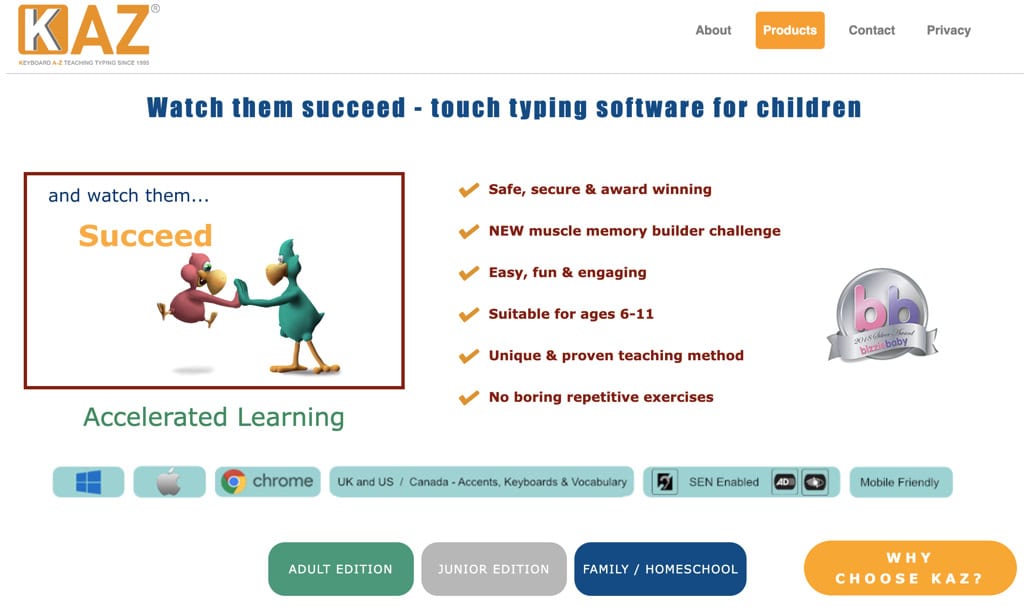
KAZ Type (visit website) claims that most typing programs for kids avoid putting in writing: it teaches touch typing in hours rather than weeks. And surely, the UK-developed platform has been backed with award recognition long enough to take it seriously.
The Family Edition covers up to five users under a single license, with a Junior course designed specifically for younger learners that features age-appropriate vocabulary, phrases, and imagery.
A parent admin panel tracks each child’s speed, accuracy, and bookmarked progress. Custom spelling list uploads let parents feed in school vocabulary directly, turning a typing curriculum for kids into something closer to a full study tool.
The audio tuition runs throughout the program, making it particularly accessible to children with dyslexia or reading difficulties, without requiring a specialist program. It works across Chromebook, Windows, and Mac, but there is no web version.
Verdict: A focused typing curriculum for kids with a family-wide license and a method built around speed of acquisition.
Platform: Web, Windows, Mac, Chromebook | Review: ★★★★☆
Pricing: Annual license. Family Edition from $39/year (5 users).
Info: Visit website.
4. Typing.com
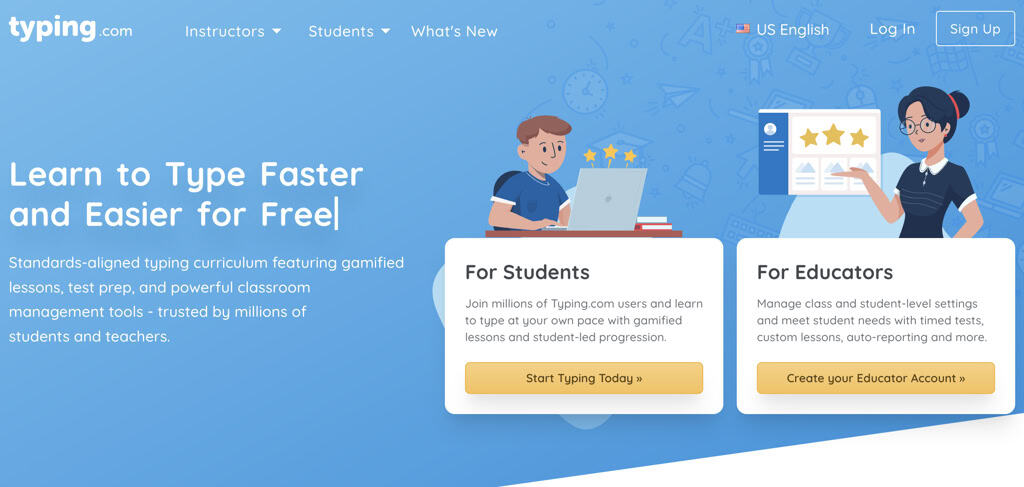
Typing.com is a free K–12 typing curriculum and one of the most widely adopted online typing courses for kids in US schools. This includes a formal state adoption in Texas for Technology Applications back in 2024.
School districts don’t actually adopt things lightly. That alone tells parents something worth knowing before dismissing a free tool as a lesser option.
The lesson path covers keyboarding from scratch through advanced fluency. Typing games for kids are built into the learning process and progression. They are not bolted on as a reward, but woven through the curriculum itself.
Beyond typing, lessons extend into digital citizenship, coding fundamentals, and standardized test prep. A custom lesson builder lets parents create practice text from any subject. Spanish and Portuguese run alongside English, which, for multilingual households, can be tempting and significant.
However, there is no AI-driven adaptive layer here yet. The student’s progress follows a set curriculum path rather than being personalized to individual error patterns. Families seeking per-key diagnostics will likely find Typesy’s approach more targeted, but at a cost.
Verdict: The most curriculum-complete free typing program for kids available. What schools trust tends to hold up at home, too. However, the reporting is primarily designed for teachers. Home users get a lighter view of their child’s standing.
Platform: Web (browser-based) | Review: ★★★★☆
Pricing: Free. Premium educator features are available for schools.
Info: Website
5. Typesy Homeschool
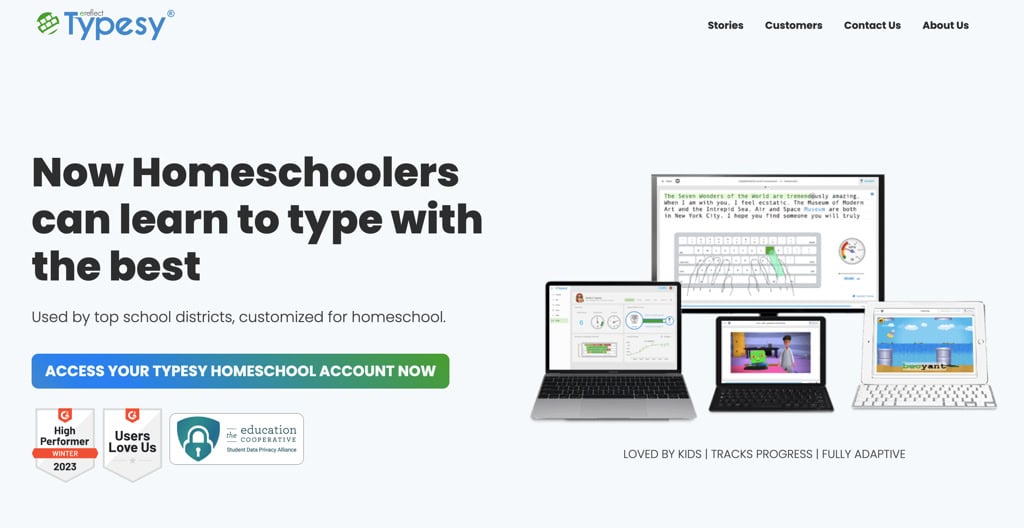
Running a homeschool typing curriculum for several children is a different problem from buying a course for one child. Typesy Homeschool (visit website) was built for that situation, and the difference in scope is immediately apparent.
The same AI-driven adaptive EasyLearn engine runs underneath as in the Typesy Individual plan. It tracks each child’s weak keys separately and reroutes practice accordingly — across multiple learners at once.
What changes beyond that is everything around it. Parents get a full teacher dashboard: assign lessons, push tests, grade automatically, and watch live progress as children type.
The literacy layer runs deep, too — vocabulary lists, spelling practice, flashcards, and a 146,000-word dictionary, alongside the core touch typing curriculum for kids. Over 28,500 lessons in total.
Keeping kids engaged across a school year is a real challenge. Typesy Pets — collectible characters that unlock as children progress — handle motivation better than badges alone. A Hall of Fame also adds light competition, public or private, depending on your preference.
Among the best typing programs for kids who learn at home, this one carries the most structural weight. The Family plan covers two students for $6 per month, billed annually. Big Family adds three more for $11. A 12-month refund plus a $50 guarantee makes the commitment easier to test.
Verdict: For families running typing as a genuine part of their homeschool day, this is the most complete option on the list.
Platform: Web, Windows, Mac, iOS, Android, Chromebook
Review: ★★★★★
Pricing: 7-day free trial. From $6/month (Family, 2 students, billed yearly).
Info: Visit website. | Read our Typesy review.
6. TypeKids
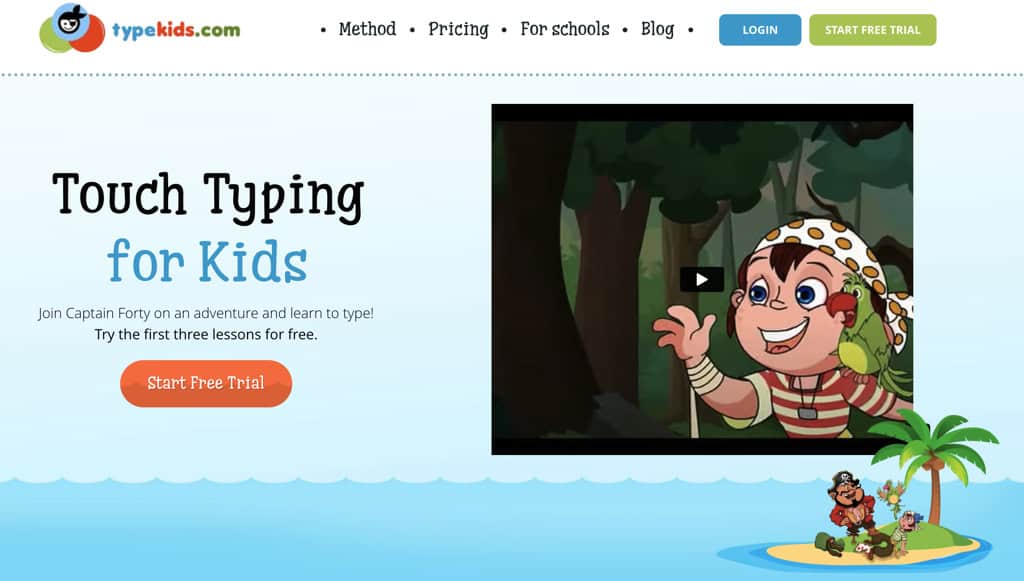
Somewhere between a typing class for kids and a pirate adventure, TypeKids lands in territory many typing programs for kids don’t attempt. Thirty lessons, each around 25 minutes, follow a story-driven mission structure where progress through the narrative depends on actually learning to type.
The course is finite — and that’s a deliberate choice. Where TypingClub and Typing.com extend indefinitely, TypeKids has a finish line. For children who disengage from open-ended platforms, that structure changes things.
Underneath the pirate theme sits a genuine adaptive engine. The program detects which letters a child keeps missing and adjusts exercises accordingly — quietly, without interrupting the story. Video instruction guides each lesson. A clear WPM and accuracy tracker shows children exactly where they stand.
There’s no paid subscription. Parents pay once, and the course is theirs. Reporting is lighter than Typesy’s; there are no live dashboards or per-finger breakdowns. A child needs a reasonable reading level to follow the mission narrative, so it works best from around age seven upward.
Verdict: A well-built online typing course for kids who need a story to stay in the game. The finite structure is the point.
Platform: Web (browser-based) | Review: ★★★★☆
Pricing: Free sample lessons available. Full course $99.95 (one-time).
Info: Website.
7. Typing Tournament
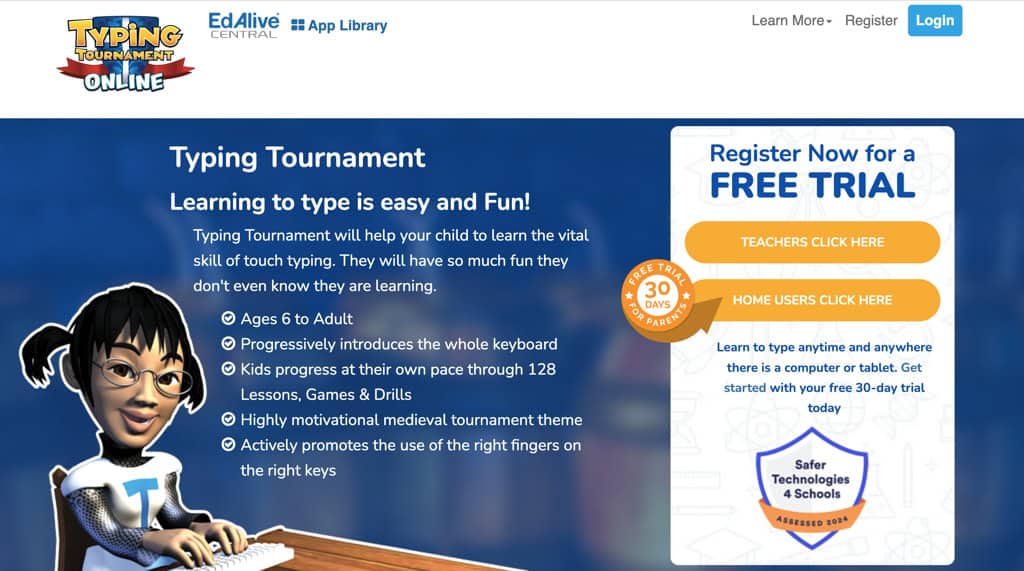
Typing Tournament takes touch typing for kids seriously — possibly more seriously than any other program on this list. Developed by Australian edtech company EdAlive, it’s built on mastery learning: children cannot advance until they demonstrate actual competence at each stage. No skipping ahead.
That philosophy runs through every layer. A medieval tournament map gives structure to the progression — quests, stages, and certificates mark real milestones rather than participation rewards.
Adaptive difficulty adjusts the challenge as performance data accumulates, tightening or loosening the pressure without needing a parent to intervene.
There are no AI features yet. The adaptive mechanism is mastery-gating — pass the test, move forward; don’t pass, practice more. Slower, but arguably more thorough for children who rush.
It is available on any device, including Chromebooks. Home licenses exist alongside school editions, though the $199 perpetual license requires a larger upfront commitment than most subscription-based programs here.
Verdict: Rigorous, structured, and genuinely kid-oriented. It is one of the best typing programs for kids who need clear gates between what they’ve learned and what comes next.
Platform: Web, Windows, Mac, iOS, Android, Chromebook
Review: ★★★★☆
Pricing: Perpetual license from $199. Free typing speed test available.
Info: Website.
8. Nessy Fingers Touch Typing for Kids
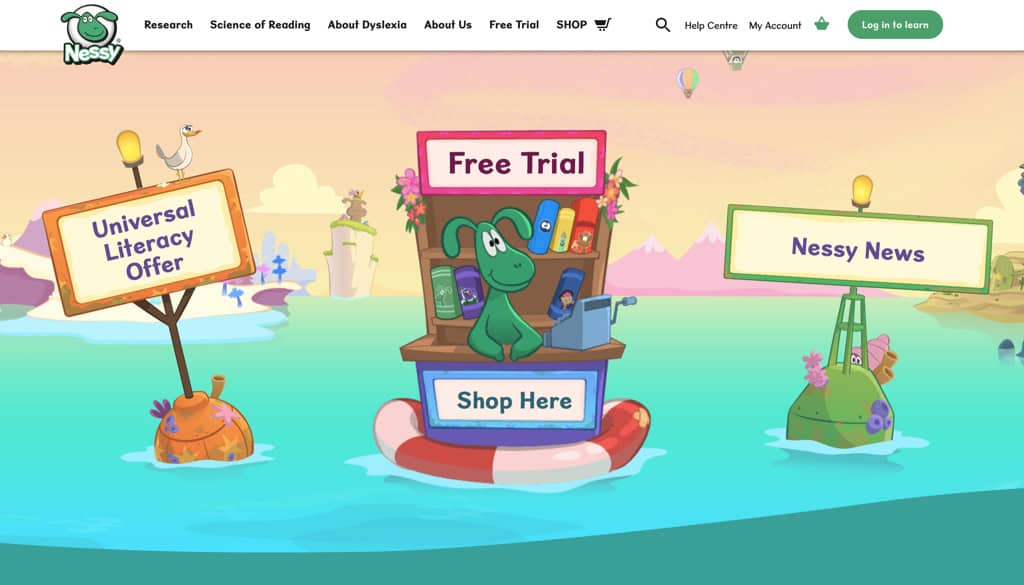
If your child struggles with spelling as much as typing, most typing programs for kids or young students here won’t address both at once. Nessy Fingers does, and that’s the reason it exists.
Built for children aged seven and up, it sits inside the broader Nessy literacy ecosystem, the same character universe used in Nessy’s reading and spelling tools. That familiarity could matter for children already using or loving those products.
Typing and spelling are taught simultaneously here. This is an unusual structural decision but pays real dividends for kids whose literacy and motor skills are developing in parallel.
Fifteen built-in games carry the engagement, and the lesson path is structured without being rigid. There is no built-in AI-driven adaptive engine. The game-based progression handles difficulty variation organically.
For children with dyslexia, dysgraphia, or ADHD, that lighter-pressure format usually tends to be better than diagnostic dashboards and performance scores.
Regarding reporting, the program provides parents with basic visibility into progress. Families needing deeper literacy integration and clinical-grade structure should look at TTRS next, which offers a more intensive option for serious learning differences.
Verdict: A well-designed typing program for kids with dyslexia or attention difficulties. It does two things — typing and spelling — without making either feel like a test.
Platform: Web, iOS, Android | Review: ★★★★☆
Pricing: From $63/year (home license).
Info: Website.
9. Touch-Type Read and Spell (TTRS Online)
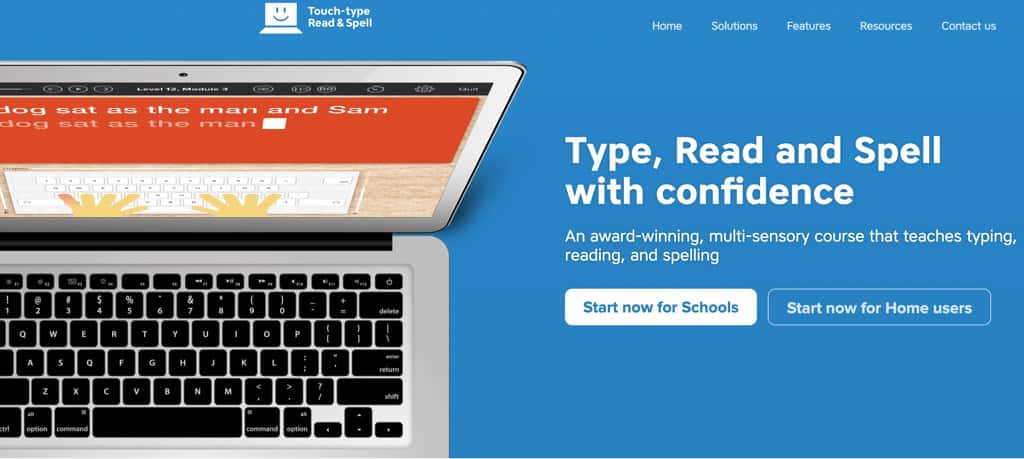
For children diagnosed with dyslexia, a specialized typing program for kids often needs to do more than most can deliver. TTRS is built on the premise that learning to type can — and should — also help them read and spell better in the process.
The methodology is Orton-Gillingham: an evidence-based, structured literacy approach used by specialist educators worldwide. Multi-sensory delivery runs through every lesson. In other words, children hear each word spoken aloud, see it on screen, and then type it.
All three channels fire simultaneously. Twenty-four levels, each with 31 modules, build systematically from vowels upward. Every fifth module is a dictation exercise without a visual prompt, just the audio. In fact, that’s a serious literacy tool wearing a typing program’s clothes.
There aren’t any AI features, though. Structured repetition and phonics sequencing do that work methodically over the months. A 4.9 Trustpilot rating across hundreds of reviews signals it actually holds up in practice.
It costs more than Nessy Fingers and isn’t as immediately playful. It is ideal for children who need clinical-grade literacy support alongside touch typing for kids’ curricula.
Verdict: The most evidence-backed typing program for kids with dyslexia on this list. Slower, more thorough, and built to actually close the literacy gap.
Platform: Web, iOS, Android | Rating: ★★★★★
Pricing: From $29/month (home subscription).
Info: Website.
10. BBC Dance Mat Typing
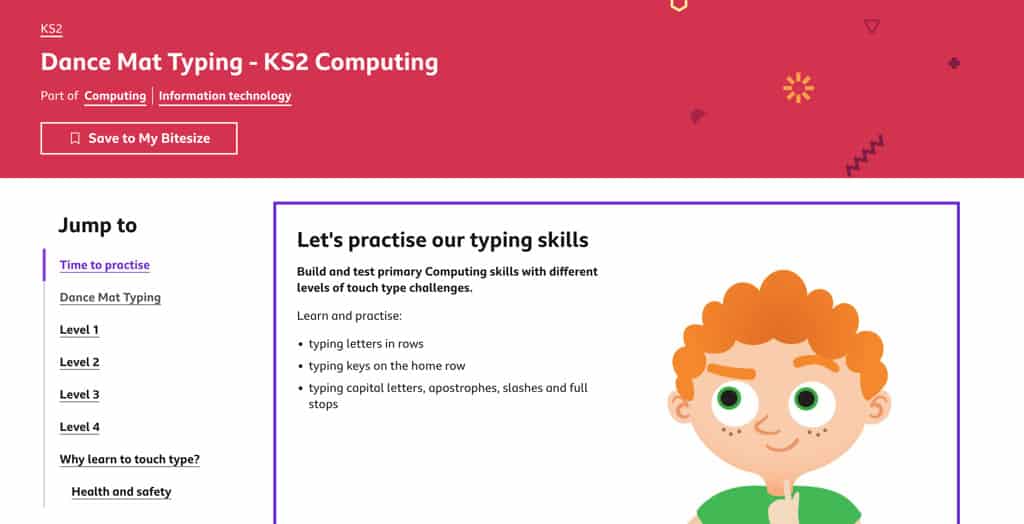
The BBC built Dance Mat Typing for children, which means it was never trying to be anything other than what it is. A free, cheerful, zero-barrier introduction to the keyboard.
Four levels, twelve stages, animated animal guides carry children from home row outward, one small key cluster at a time. You do not need a login, an account, or a parent dashboard. A child can open a browser and be up and running in under a minute.
That kind of frictionless access has made it one of the most-shared free typing programs for kids among teachers and parents for over a decade.
Of course, there is no AI, no adaptive layer, and no progress tracking either. What it does, it does simply. The ceiling is real, though. Once a child completes all twelve stages, there is nowhere left to go inside this program.
Free typing lessons for kids don’t get more accessible than this, but they do get more complete. TypingClub or Typing.com are the natural next steps when a child is ready for structured progression.
Verdict: The cleanest possible on-ramp to keyboard familiarity. Use it to start, not to finish.
Platform: Web (browser-based, no login) | Review: ★★★★☆
Pricing: Free.
Info: BBC Bitesize
11. KidzType
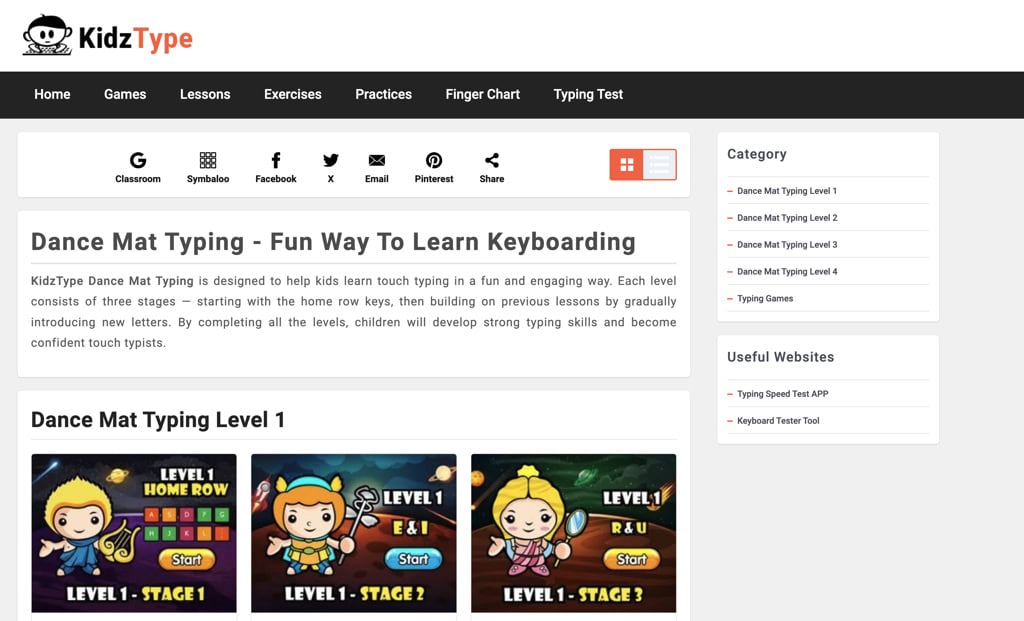
Open a browser, skip the signup form, and your child is already typing. That’s the entire onboarding process for KidzType, a free typing platform built for kids aged five to twelve that treats practice as the whole point.
Thirty-plus typing games for kids anchor the experience. Rockets, racing cars, and ninja adventures each require actual typing to play rather than button-mashing. Structured lessons run alongside, covering keyboard rows one section at a time. Short exercises reinforce what the lessons introduce.
There is no AI involved here either, and no adaptive engine, not even parent reporting. KidzType doesn’t try to be a curriculum. Think of it as the place a child goes when Typesy or TypingClub has done its work for the day, and they still want to type. That role is genuinely useful, and the platform does it well.
Worth knowing: Ads are present. Screen time with KidzType works best when supervised, particularly for younger children.
Verdict: A companion tool, not a standalone typing program for kids. It offers low friction, high engagement, and it’s free.
Platform: Web (browser-based, no login) | Review: ★★★★☆
Pricing: Free (ad-supported).
Info: Website
12. Nitro Type
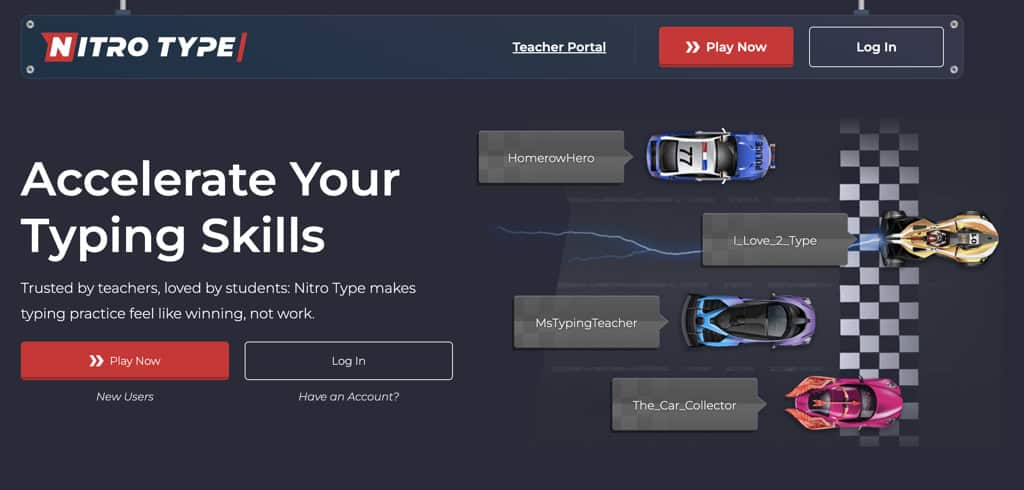
Speed is the only currency in Nitro Type, and children figure that out within the first race. Built by the same team behind Typing.com, it’s a real-time competitive racing game where typing faster means winning.
The premise is simple and slightly addictive. Children type text passages as quickly as possible to accelerate a car past real opponents worldwide.
There are seasonal events, team competitions, and an expanding garage of unlockable vehicles, which keep it from feeling like a decision rather than a chore. Furthermore, school-safe settings and optional accounts mean parents can let a child play without handing over personal data.
However, Nitro Type doesn’t come with a curriculum, instructions, or an adaptive layer. It teaches nothing a child doesn’t already know how to do. What it does is push existing skills harder than any structured typing program for kids would. A child who has built a foundation through Typesy or Typing.com will find this a genuinely motivating next layer.
Verdict: This isn’t a traditional typing program for kids. An engine for kids who already type and want to go faster.
Platform: Web (browser-based) | Review: ★★★★☆
Pricing: Free. An optional premium account is available.
Info: Website
13. Typing Land
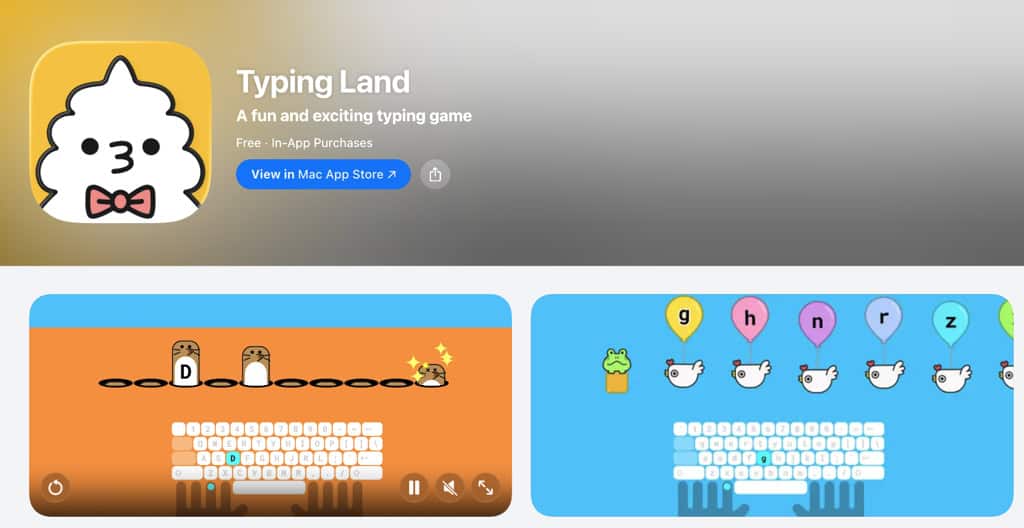
Typing Land is the quietest typing program for kids on this list and yet one of the most thoughtfully built. Developed by a small independent studio in Japan, it covers 81 lessons from basic finger placement through full keyboard fluency, wrapped in 40 mini-games that make the repetition bearable.
The program has no ads, no in-app purchases, and no upsells. Thus, for parents who found KidzType’s ad presence distracting, that alone is worth something. All 81 lessons are free, which makes the no-advertisement commitment more unusual than it sounds in this category.
A physical keyboard is required to use it properly, which matters for families relying entirely on tablets. Furthermore, don’t expect AI features, adaptive learning, methods, or a parent dashboard. Progress tracking is fairly minimal, and its visibility for parents is essentially nonexistent.
What it offers instead is a clean, safe, self-contained typing class for kids who learn well through game-based repetition. Unassuming packaging, solid fundamentals underneath.
Verdict: A genuinely kids-safe app-based option with more structure than its low profile suggests. Worth knowing about.
Platform: iOS, Android, Web | Review: ★★★★☆
Pricing: Free (no ads, no in-app purchases).
Info: App Store | Google Play
14. Rapid Typing
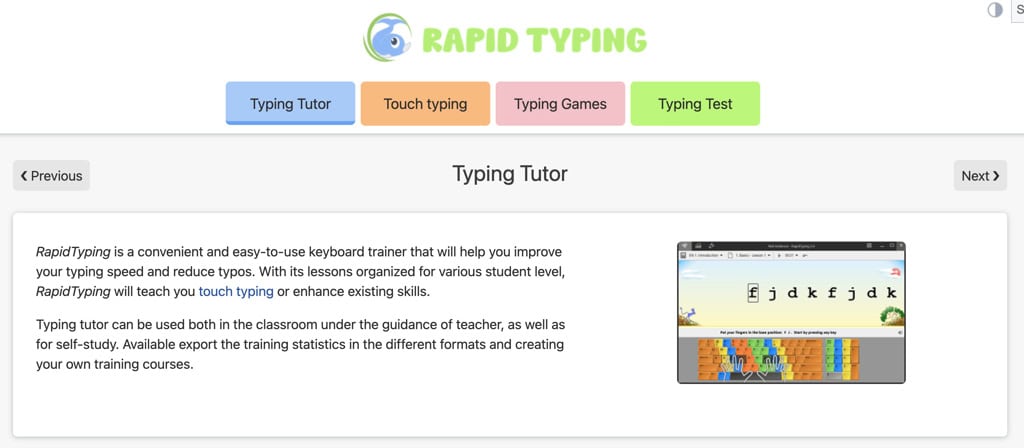
Not every family wants a browser tab, a subscription, or an account to manage. Rapid Typing is a free Windows download that has been quietly doing the job since 2007 with no cloud dependency required.
The interface is functional rather than charming. Four course levels move from key position basics through advanced fluency practice, and a virtual keyboard with animated hand guides shows which finger goes where at every step.
A built-in lesson editor lets parents write custom practice text from any subject. This feature may sound minor until you actually need it.
Progress charts track speed and accuracy over time and export cleanly to PDF or CSV, which works better for record-keeping than most online dashboards parents never revisit anyway.
This is not a typing program for kids that will excite a seven-year-old. Older kids and teenagers who prefer desktop typing software and learn well without game mechanics will find it capable and completely sufficient.
Verdict: Offline, free, and quietly effective for older children who don’t need the engagement scaffolding. There is no mobile app.
Platform: Windows (desktop download) | Review: ★★★★☆
Pricing: Free. | Info: Website
How to Choose the Best Typing Program for Your Child
Digesting all the info on the 14 best typing programs for kids is a lot to take in. The good news is that most families need to answer only two or three questions before the right option becomes obvious.
1. Start here: What does your child actually need right now?
There’s a meaningful difference between a child who has never placed fingers on a keyboard with intention and one who already hunts and pecks and wants to go faster.
Building from scratch
If your child has no technique yet, they need a structured sequence. Home row first, full keyboard next, accuracy before speed.
Good fits: Typesy Individual, Typesy Homeschool, TypingClub, Typing.com, TypeKids, KAZ Type.
Starting with Nitro Type before this foundation is in place tends to produce fast but permanently messy habits. Worth knowing before handing a child the keyboard and walking away.
Speed and practice, not instruction
If your child already knows where the keys are, they don’t need another curriculum. They need repetition.
Good fits: Nitro Type, KidzType, BBC Dance Mat Typing.
These work best alongside a structured curriculum, not instead of one.
2. How many children do you have, and what’s your setup?
| Situation | Best fit |
|---|---|
| One child, home supplement | Typesy Individual |
| Multiple children, homeschool day | Typesy Homeschool, KAZ Type |
| Free option, multiple ages | TypingClub, Typing.com |
| Child-led, story or game-first | TypeKids, Nitro Type, Typing Land |
| Dyslexia or learning differences | Nessy Fingers, TTRS |
| Older kids and teens, desktop only | Rapid Typing, Typing Tournament |
3. How much are you willing to spend?
Free gets you further than you might expect here.
TypingClub and Typing.com are complete curricula. Not stripped-down tasters — actual full typing programs for kids and students used by schools at scale. Typing.com alone generates over $86 million in annual revenue and employs nearly 800 people. It is not a hobby project.
The paid programs earn their price through adaptive AI features, deeper parent reporting, and curriculum depth that free tools can’t replicate. If a child is committed to touch typing for kids as a long-term skill, the paid investment tends to pay back quickly through measurable outcomes.
4. On AI and adaptive features
Not every program needs AI to work well.
Typesy’s AI-driven EasyLearn engine is the clearest example of AI doing useful work here. It tracks error patterns and reroutes practice automatically. No parent intervention required.
TypeKids and Typing Tournament use adaptive difficulty through different mechanisms — less sophisticated but still directional.
The free tools largely don’t adapt at all. For motivated children who move steadily through structured lessons, that’s fine. For children who stall on specific keys or lose interest, an adaptive layer makes a real difference.
5. At what age to start?
Children are typically ready for keyboard exploration from age five or six. Fine motor skills and reading comprehension are solid enough for formal touch typing instruction, which children usually begin around seven or eight.
Starting structured programs for kids too early tends to create frustration. Starting with BBC Dance Mat Typing or Jungle Junior as exploration first is the smarter pattern.
Age-specific recommendations follow in the next section.
Best Typing Programs for Kids by Age
Ages 5–7: First Contact With the Keyboard
At this age, the goal is familiarity, not fluency. Where keys live, what home row feels like, and how fingers rest naturally on the board.
Fine motor development varies significantly in this window. Some six-year-olds are ready for structured lessons. Others need another year of exploration first. Watch for frustration as a signal to back off rather than push harder.
Start with:
- BBC Dance Mat Typing — four levels, twelve stages, animated guides. No login needed. A child can start in under a minute.
- Jungle Junior (TypingClub) — pre-K through first grade, specifically. About 200 lessons covering the alphabet, sight words, and word families. Free.
- Typing Land — 81 lessons from basics upward, no ads, app-based. Works well with a physical keyboard attached to a tablet.
Ideally, avoid specialized typing programs for kids that push WPM targets at this age. Children who feel tested before they feel capable tend to disengage and stay disengaged.
Ages 8–12: Where Real Learning Happens
This is the window that most child development specialists point to as the right time to invest in a proper online typing course for kids.
Fine motor skills are solid. Reading comprehension supports lesson content. Children can sustain 15–20 minutes of focused practice without significant frustration.
Best fits:
- Typesy Individual — AI-adaptive, structured, seven minutes a day. The clearest choice for families seeking measurable progress without having to manage it manually.
- TypingClub — free, complete, scales across this entire age band without feeling babyish at twelve.
- Typing.com — free K–12 typing curriculum with typing games for kids woven throughout. Digital citizenship and coding are bundled in.
- TypeKids — story-driven, finite, thirty lessons with a clear finish line. Works particularly well for children who check out of open-ended platforms.
- Typesy Homeschool — for families where typing is a formal part of the school day.
Ages 13+: Speed, Fluency, and Habit
By early teens, the focus shifts from learning key positions to building genuine speed and accuracy as a daily habit.
Most structured curricula still work here. The motivation layer changes, though. Badges and certificates that worked at nine stop working at thirteen.
Best fits:
- Nitro Type — competitive racing against real opponents. Teenagers respond to this format in ways that structured typing programs for kids stopped producing years earlier.
- Typing Tournament — mastery-gated, certificate-based, rigorous without being punishing.
- Rapid Typing — desktop download, no games, no scaffolding. Teenagers who want to practice efficiently find it adequate and unobtrusive.
- TTRS — for teens with dyslexia or language-based learning difficulties needing literacy support alongside typing.
Not ready to spend money yet? The next section covers what free typing programs for kids can actually deliver.
Best Free Typing Programs for Kids
Spending money on a typing curriculum for kids isn’t always necessary.
Three options here cost nothing and deliver complete curricula.
TypingClub is the strongest free recommendation. Structured, complete, used by millions of students in schools worldwide. Jungle Junior extends coverage down to the youngest learners. Nothing meaningful is hidden behind a paywall for individual home users.
Typing.com sits alongside it as an equally complete free option. The scope is broader — digital citizenship, coding fundamentals, and standardized test prep run alongside the core typing curriculum for kids. The premium version removes ads for $7.99 per student per year. For most families, the free tier is sufficient.
BBC Dance Mat Typing earns its place as the lowest-friction starter available. No login, no setup. Open a browser and begin. The ceiling is low — twelve stages and you’re done. As a first keyboard, it has no equal at this price point. Best typing program for kids to get started and explore learning preferences.
The honest limit of free tools:
None of them adapts to your child specifically. Typesy’s AI layer and Typesy Homeschool’s per-student tracking exist precisely because the free options return that responsibility to the parent. If you have time to monitor progress and adjust, free work works well. If you need the program to manage that, a free option might not fully meet your needs.
Review Verdicts: Best Typing Programs for Kids by Use Case

Best overall typing program for kids 2026
Typesy Individual. Structured curriculum, AI-adaptive engine, seven minutes a day, five users per plan. The clearest fit for families seeking measurable progress without having to manage it manually. The seven-minute commitment is realistic. Most programs that claim this don’t mean it. Typesy does.
Best free typing program for kids
TypingClub. Complete curriculum from first keystrokes to advanced fluency, Jungle Junior for early learners, free for individual home users without meaningful compromise. Typing.com is the runner-up — broader scope, slightly lighter on individual progress tracking.
Best typing program for kids doing homeschool
Typesy Homeschool. Teacher dashboard, multi-child tracking, 28,500 lessons, literacy layer extending well beyond keyboarding. KAZ Type is worth considering for UK-curriculum families or those wanting a faster acquisition method.
Best for young beginners (ages 5–7)
BBC Dance Mat Typing as a first step. Jungle Junior: When a child is ready for something more structured. Both free. Both genuinely designed for this age band rather than scaled down from an adult version.
Best for children with dyslexia or learning differences
TTRS for families needing evidence-based, clinical-grade literacy support. Nessy Fingers for a lighter-touch option that addresses spelling and typing simultaneously, without the intensity.
Best for motivation and speed-building
Nitro Type. Not a curriculum. An engine for children who already type and want to go faster. Pair it with a more structured typing program for kids, and it becomes genuinely effective.
Best story-driven typing class for kids
TypeKids. Thirty lessons, a pirate narrative, a finish line. For children who disengage from open-ended platforms, having something completable changes the dynamic entirely.
Best Typing Programs for Kids 2026
- Typesy Individual
- TypingClub (incl. Jungle Junior)
- KAZ Type Junior Edition
- Typing.Com
- TypeKids
- Typesy Homeschool
- Typing Tournament
- Nessy Fingers Touch Typing for Kids
- Touch-Type Read and Spell (TTRS Online)
- BBC Dance Mat Typing
- KidzType
- Nitro Type
- Typing Land
- Rapid Typing
FAQs Typing Programs for Kids

What is the best typing program for kids in 2026?
Typesy Individual is the strongest all-around option for most families. Structured curriculum, AI-adaptive features, seven minutes a day. For multiple children or a formal homeschool setup, Typesy Homeschool adds teacher-grade tracking and management. If budget is the constraint, TypingClub is the strongest free alternative — complete, structured, and genuinely free for individual users.
At what age should kids start learning to type?
Keyboard exploration can start from five or six with tools like BBC Dance Mat Typing or Jungle Junior. Formal touch typing instruction for kids works best from 7 or 8 onward, once fine motor skills and reading comprehension are solid. Pushing structured technique before that point tends to create frustration rather than progress.
How long should kids practice typing programs each day?
Ten to fifteen minutes per session is the right target for most children under ten. Older kids can comfortably sustain twenty to thirty minutes. Consistency matters more than duration. Five focused sessions a week produce better results than one long one. Typesy’s seven-minute daily target reflects this well.
Are free typing programs for kids good enough?
For many families, yes. TypingClub and Typing.com are complete curricula, not tasters. The gap between free and paid versions is most evident in adaptive features and parent reporting. Free tools don’t adjust to your child’s specific error patterns. Paid programs like Typesy do. If you can monitor progress yourself, free work works well. If you need the program to handle that, it has a ceiling.
What is the best typing program for kids with dyslexia?
TTRS is the most evidence-backed option. It uses the Orton-Gillingham method to combine typing with structured phonics, working through visual, auditory, and motor channels simultaneously. Nessy Fingers is a well-designed alternative to lighters that addresses spelling and typing in a game-based format.
What is the best free typing program for kids?
TypingClub is the strongest free option on this list. Complete curriculum, Jungle Junior for early learners, no account required to start. Typing.com is equally strong with a broader scope — digital citizenship and coding run alongside the typing curriculum for kids. Both are used by schools at scale, which is a reliable signal.
Do typing programs for kids need AI features?
Not necessarily. Several strong programs here use structured lesson progression without AI — Typing Tournament, TypeKids, and KAZ Type, among them. AI features matter most when a child stalls on specific keys or loses momentum. Typesy’s adaptive engine handles that automatically. For children who move steadily through structured lessons, AI is an advantage rather than a requirement.
Is Typesy a good typing program for kids?
Typesy consistently ranks among the best typing programs for kids in parent and homeschool reviews. AI-driven adaptive features, a structured curriculum, and realistic daily time commitments make it particularly well-suited for families wanting measurable outcomes. The five-user plan adds practical value for families with more than one child.
Can kids learn to type online without a structured program?
Nitro Type and KidzType build speed and effectively reinforce existing skills. What they don’t do is teach technique from scratch. A child who learns entirely through games tends to develop finger habits that are difficult to correct later. An online typing course for kids that establishes correct finger placement first — then adds game-based practice — produces better long-term results.
Which typing programs for kids work on Chromebooks?
Typesy Individual, Typesy Homeschool, TypingClub, Typing.com, Typing Tournament, and KAZ Type all run on Chromebooks. BBC Dance Mat Typing and KidzType work in any browser. Rapid Typing is the exception — it requires a Windows download and won’t run on Chromebook.
Sources and Further Reading
On Touch Typing and Children’s Development:
Journal of School Psychology (ScienceDirect, 2023) — Peer-reviewed study examining how fine motor skills, handwriting, and typing each contribute to reading development in school-age children.
NIH / PMC Study (National Institutes of Health, 2017) — Clinical research demonstrating measurable improvement in children’s fine motor skills following structured touch typing instruction. Freely accessible.
Englishtype Research Summary (Englishtype, 2023) — Plain-language summary of a controlled study showing that children who completed a touch typing course improved in spelling and narrative writing, alongside keyboarding speed.
Research in Developmental Disabilities (ScienceDirect, 2015) — Peer-reviewed study measuring keyboarding outcomes in children following structured typing instruction, including children with learning difficulties.
On Handwriting, Typing, and the Brain:
PMC Neuroscience Review (National Institutes of Health, 2025) — Recent peer-reviewed review of brain imaging research comparing handwriting and typing. Useful for parents weighing both skills for their child.
Frontiers in Psychology (Frontiers, 2024) — Open-access study showing how handwriting and typing activate different neural pathways. Balanced and accessible for non-specialist readers.
On Typing and Dyslexia:
CALL Scotland (University of Edinburgh, 2019) — Honest, research-grounded review of what the evidence does and doesn’t say about touch typing for children with dyslexia. No commercial interest.
Dyslexia UK (Dyslexia UK charity, 2023) — Practical parent-facing guide to how touch typing supports children with dyslexia, covering creativity, automaticity, and written output confidence.
Disclosure: This site contains affiliate links to some of our partners’ websites. Typing Lounge may receive a commission for purchases made through these links. It does not add any extra costs. All reviews, opinions, descriptions and comparisons expressed here are our own.