
8 Best Homeschool Typing Programs 2026
Best homeschool typing programs to track real progress: parent dashboards, family plans, and K-12 coverage
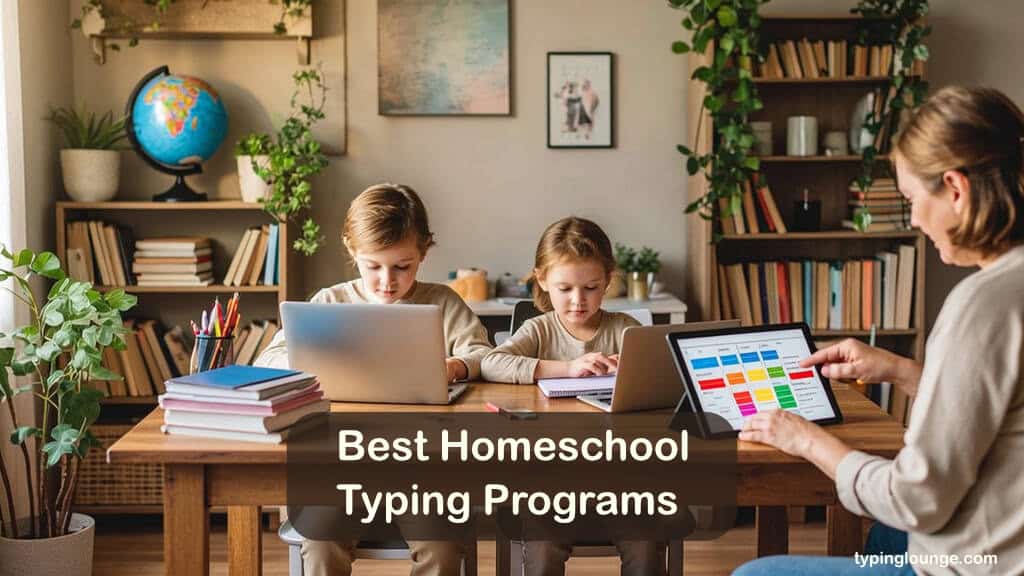
Choosing the right homeschool typing programs is, oddly enough, mostly a parenting problem. Children are secondary. A child will work with whatever you put in front of them. But parents have to find it, configure it, and manage multiple children at different stages. That choice tends to stick around for years.
Many homeschool typing programs are still designed for classroom teachers. They work fine in that context. For a homeschool parent running the whole operation, the friction shows up in predictable places. Dashboards assume a teacher is supervising. Licenses cover one student. And curricula tend to stop at Grade 5.
Eight homeschool typing programs made it onto my list, ranging from free browser tools to flat-rate family purchases to annual subscriptions. Everyone has a documented homeschool use case: real parent accounts, dedicated features, or consistent adoption in homeschool communities.
Furthermore, what homeschool parents actually ask about in forums and community threads is remarkably consistent. Dashboard quality, multi-child licensing, K-12 scope, active maintenance, and SEN support all shaped what made this list of the best homeschool typing programs.
The rankings reflect the strongest candidate first. Each description flags the age range and key limitations upfront. If your child’s situation is already clear, those signals will get you there faster.
However, if you think homeschool is not the right thing, and you need individual versions, look at our typing programs for kids or typing software for beginners.
8 Best Homeschool Typing Programs 2026
| Typesy Homeschool | KAZ Typing Family | All the Right Type | TTRS Online |
|---|---|---|---|
 |  |  |  |
| Visit Website | Visit Website | Product Info | Product Info |
| from $6/month | $74.95 | from $8/month | from $14.99/month |
| ★★★★★ | ★★★★☆ | ★★★★☆ | ★★★★★ |
*Disclosure: This post contains affiliate links. Read the full disclosure below.
1. Typesy Homeschool
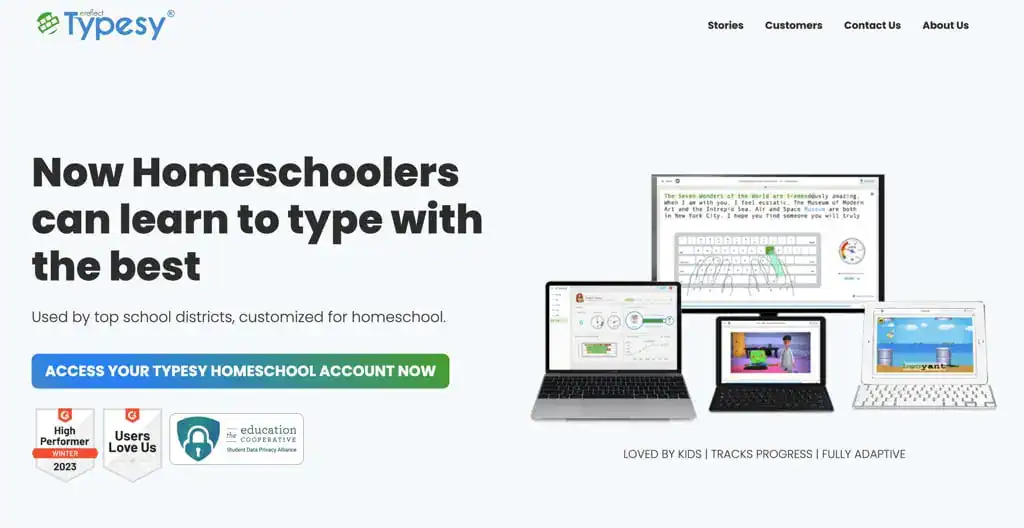
Typesy Homeschool (visit website) is the most purpose-built family and homeschool typing curriculum on this list. It’s designed for K‑12 learners and is particularly strong from about Grade 2 to Grade 10. The AI engine underneath — called EasyLearn — is built around the science of muscle memory and structured repetition.
Typesy tracks each child’s error patterns per session and adjusts difficulty in real time. Two children at different stages can follow different exercises simultaneously. In other words, each builds their own path without either holding the other back.
That alone would make it notable. But this typing curriculum for homeschoolers goes beyond typing. Built into the platform are 4,000+ cross-curricular lessons covering digital citizenship, coding fundamentals, and vocabulary — children practice literacy alongside technique, which is a genuinely useful combination for a homeschool day.
Over 28,500 lessons total, 17 games, and a video accompanying each lesson give the progression enough range to last. 3D-animated instruction, avatar rewards, and a Hall of Fame sustain engagement beyond the first week.
The parent dashboard also shows speed, accuracy, and completion for each child in real time. Grading and test creation are all built in.
Curriculum Verdict
Typesy Homeschool (visit website) offers one of the best homeschool typing programs for teaching children to type faster at home. Artificial Intelligence (AI) handles differentiation for each child, the typing curriculum stretches well beyond typing, and the parent dashboard provides genuine oversight.
The subscription model means this is an ongoing cost, not a one-time decision — worth factoring if your children are close to finishing school. At $72–$132/year, depending on family size, it is mid-tier in price but top-tier in scope.
Platform: Web, Windows, Mac, iOS, Android, Chromebook
Rating: ★★★★★
Pricing: From $6 month (monthly or annual).
Family $72/year (2 students). Big Family $132/year (5 students).
Info: Visit website.
2. Typing Agent
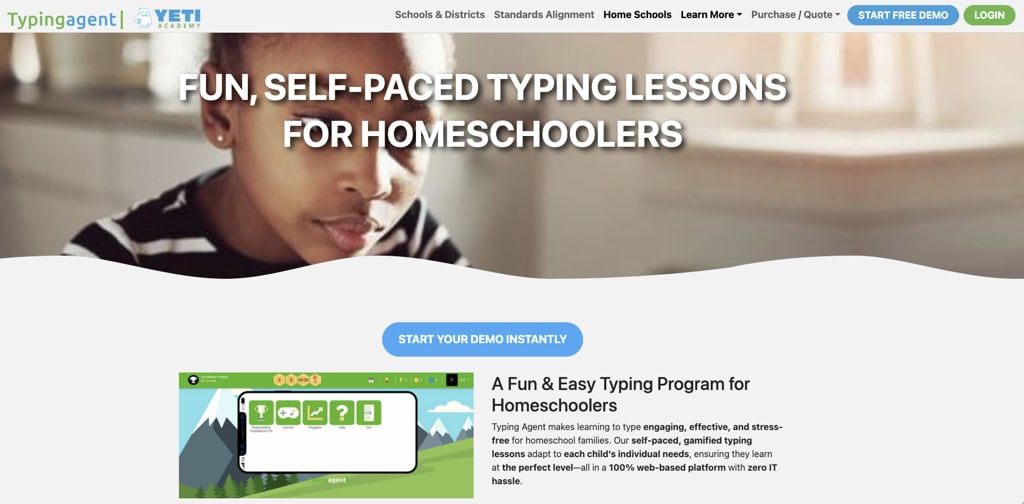
Typing Agent is a K-12 homeschool typing curriculum for homeschool families, developed by a company that has supplied typing instruction to schools nationwide for years. The platform is fully web-based — no installation, no apps, no IT setup — and covers every grade from kindergarten through twelfth in a single parent account.
This popular homeschool typing program runs on two tracks. K2 Mountain handles K2 learners through a game-based world — children climb the mountain with every typing success, building mouse skills, hand-eye coordination, and letter placement in a gradually expanding interactive environment.
For Grades 3–12, a built-in placement test matches each student to the right level from day one, then automatically adjusts lessons as they improve. Both tracks earn GritCoins, XP, and Badges, unlock avatars and themes. That data then feeds into the parent dashboard’s real-time reports.
The reports go further than many curricula. Time on task, WPM, accuracy, daily and weekly progress — and a Live Activity Feed showing exactly what a child is working on right now.
Ten minutes a day is the recommended cadence, which keeps the commitment manageable even for younger learners.
Curriculum Verdict
Typing Agent offers one of the clearest value propositions on this list for multi-child homeschool typing families. At $79.95/year for up to four students — or $149.95/year for up to ten — the per-student cost is reasonable for what the platform delivers.
The program, however, leans toward school-style structure, which suits some children and bores others. Fully browser-based means it runs on any device without installation, though families expecting a dedicated app will need to adjust. Neither is portability a dealbreaker at this price.
Platform: Web, iPad | Review: ★★★★½
Pricing: ~$29.95/year (up to 10 students).
Info: Website
3. All The Right Type
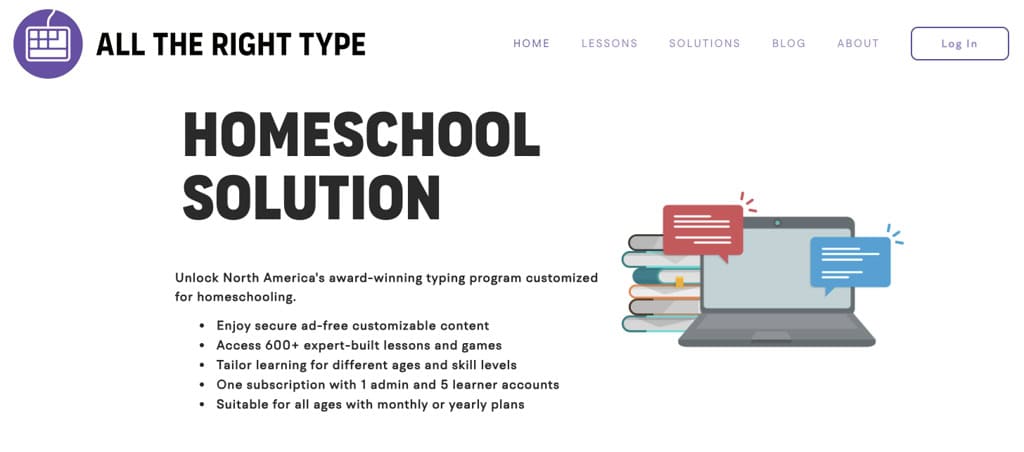
All The Right Type has been in school classrooms for over thirty years. That history shows in how the homeschool typing curriculum is built — not in how it looks. Games, animated characters, and narrative scaffolding are absent. What remains is a structured touch typing for homeschool sequence from Grade 1 through Grade 12, completely ad-free.
The typing lesson order is deliberate: home row, full keyboard, shift, symbols, numbers, speed drills. Animated finger guides show the correct hand position on each key before students type. Error feedback is letter-by-letter — identifying which specific finger caused a mistake, not just flagging accuracy as a percentage.
That granularity matters for children building muscle memory from scratch. Progress reports in the parent account track accuracy and completion across sessions.
Lesson Games and Themed Games are included, but they follow the same key sequences that have already been learned. That means practice never outruns the curriculum. This is a fundamentally different philosophy from the badge-and-story loops you’ll find in TypingClub or the AI-adjusted paths in Typesy.
Children who find gamified homeschool typing programs distracting will find this a relief. The engagement mechanics aren’t here. For some homeschooling families, that is precisely the point.
Curriculum Verdict
Thirty years of classroom refinement in a clean, no-frills package. The curriculum is genuinely thorough — letter-by-letter feedback and animated finger guides give children something most homeschool typing programs quietly skip.
A bit of a trade-off is motivation. Without games, badges, or narrative hooks, children who need external engagement to keep going will struggle past the first few weeks. Homeschool families who already know their child works well with structured, distraction-free learning will get the most from this. Everyone else may want to look at TypingClub or Typesy first.
Platform: Web, Download (Mac/PC), iOS App | Review: ★★★★½
Pricing: from $8/month. $60/year.
Info: Visit website
4. KAZ Family Edition
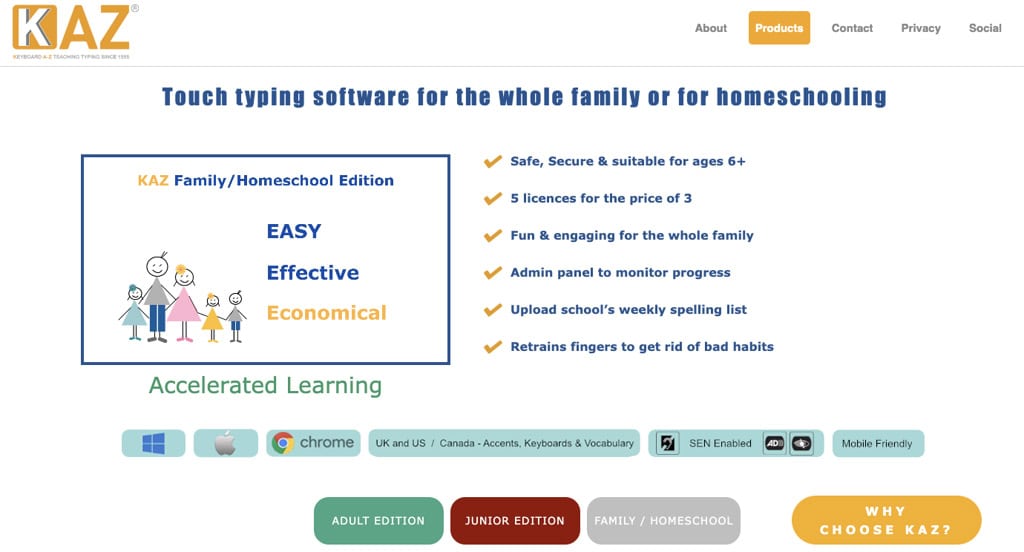
KAZ (view website) is a 2019 BETT Finalist and one of the best homeschool typing programs available. The core concept is to teach the keyboard in 90 minutes using a unique, scientific learning method. The Family Edition is ideal for homeschooling parents and consists of an Adult and Junior version.
Learning the full keyboard in ninety minutes sounds like a marketing claim, though. For KAZ, however, that is the actual course structure — and understanding why it works changes how you evaluate it.
The Accelerated Learning Method groups keys by how the brain processes sequences rather than alphabetically. Thus, initial keyboard coverage will be achieved rather fast. But full fluency, of course, takes longer.
Children who have struggled with letter-by-letter approaches often find this ordering less frustrating. The logic feels different from the start, which matters for learners who have already had a bad experience with typing.
A single license covers five users. The Junior track handles younger learners with age-appropriate vocabulary. The parent admin panel tracks speed and accuracy per child. Parents can upload custom spelling lists, turning a typing session into vocabulary practice simultaneously.
A separate dyslexia typing program for homeschool and families (view) adapts the method for learners who struggle with standard letter sequencing. And while it isn’t as comprehensive a reading and spelling intervention as TTRS, it is meaningfully different from the standard version. Both editions are completely ad-free and GDPR compliant.
One distinction worth understanding before purchasing: the Online edition is an annual license that includes the admin panel. The Download edition is a 10-year license, works fully offline — making it the only homeschool typing program here that works without an internet connection.
Curriculum Verdict
One purchase covering five users, offline capable via download, Dyslexia Edition available — the practical case is strong. The accelerated method is real and often clicks for learners who have struggled elsewhere.
Two things to know going in: the Online edition is an annual cost, not a one-off, and the Download edition works offline but loses the admin panel. If monitoring your children’s progress matters to you, that is a meaningful limitation. If offline access matters most, it is the only program here that fully supports it.
Grade: Children and adolescents from 1st to 12th. Adults.
Info: View website.
Rating: ★★★★☆
Pricing: $74.95 Online | $119.95 Download Mac/PC – 5 Users
5. TTRS — Touch-Type Read & Spell
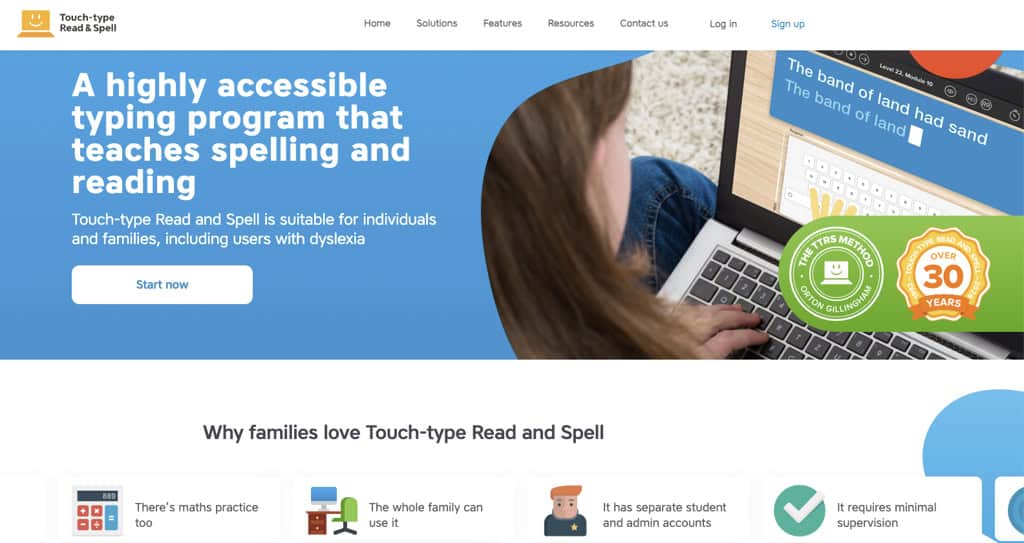
Many homeschool typing programs simply teach one skill. TTRS teaches three at once. Students hear a word, see it, and then type it. That loop repeats across 24 levels and 31 modules — designed around how learners with dyslexia process language, not adapted from a mainstream program, and relabelled.
The method aligns with Orton-Gillingham principles, the established framework for dyslexia intervention. What makes this workable in a homeschool typing setup is that children move through modules independently at their own pace.
Constant parental supervision isn’t required, which matters when managing multiple children across a school day. Separate student and parent accounts allow children to work autonomously while parents can check progress at their convenience. Trustpilot shows 4.6 stars, which is a meaningful signal for a homeschool typing program this specialized.
At roughly $149 a year per student, it is the most expensive homeschool typing program here. Also, unlike Typesy or Typing Agent, there are no multi-student family discounts, which means larger homeschool households pay the full rate per child.
For a child with dyslexia or a language-based learning difference, that cost probably reflects something genuinely different. Everyone else will likely find a better fit elsewhere on this list, but without intending to downgrade this homeschool typing curriculum.
Curriculum Verdict
For a child with dyslexia or a language-based learning difference, this is the clear choice on this list — nothing else comes close to what it does at the intersection of typing, reading, and spelling.
For everyone else, the $149/year-per-student price is hard to justify when Typesy or Typing Agent covers the homeschool typing curriculum at a fraction of the cost. The single-student pricing also means large families pay per child, which adds up fast.
Platform: Web | Review: ★★★★½
Pricing: ~$14.99/month or ~$149/year per student.
Info: Website
6. Typing.com Homeschool
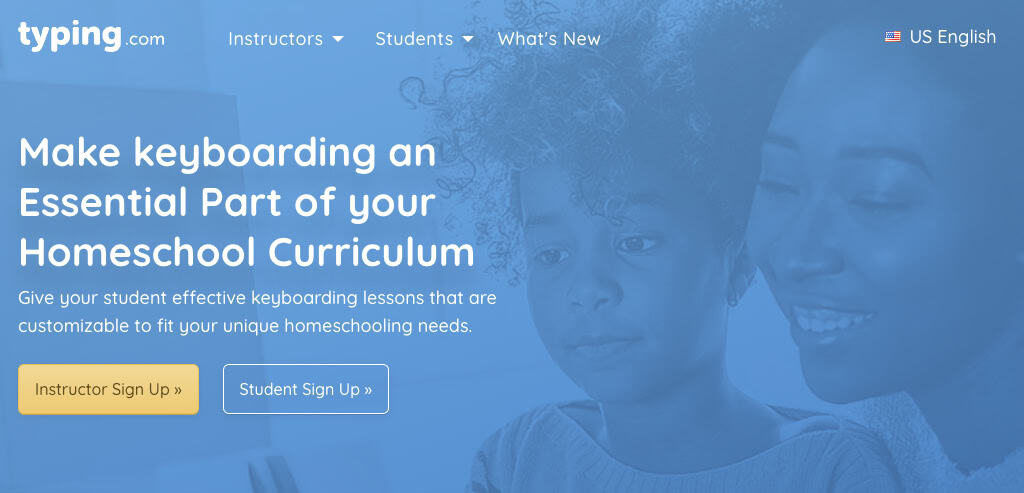
Typing.com is the most widely used free typing platform in the world. A dedicated homeschool typing program page covers a K-12 typing curriculum for homeschool: touch typing, digital citizenship, and an introduction to coding. For a single motivated learner, that combination is hard to argue with at no cost.
However, a parent managing multiple children faces a different situation, though. Individual and homeschool typing accounts do not have a native parent dashboard. Checking progress means logging in using the child’s credentials.
Unfortunately, no change to settings fixes this. For one child you supervise directly, it is manageable — and the curriculum itself rivals the scope of paid homeschool typing programs like Typing Agent.
For three children working independently throughout a school day, that gap likely creates daily friction that no amount of good curriculum design can compensate for. COPPA-compliant for under-13s.
Curriculum Verdict
It is certainly one of the best free homeschool typing programs mentioned here. And it is genuinely good, not just good for free. However, the dashboard limitations likely affect learning experiences, as there is no native parent oversight for homeschool typing accounts.
For a single child, you can work around it. For a household with three or four children going through a homeschool typing curriculum, that gap creates daily friction. Free does not fix administrative inconvenience. TypingClub’s School Edition below solves this at no cost, which is why it belongs on the same shortlist if parent tracking matters.
Platform: Web | Review: ★★★★☆
Pricing: Free for individuals and homeschoolers.
Info: Website
7. TypingClub (edClub)
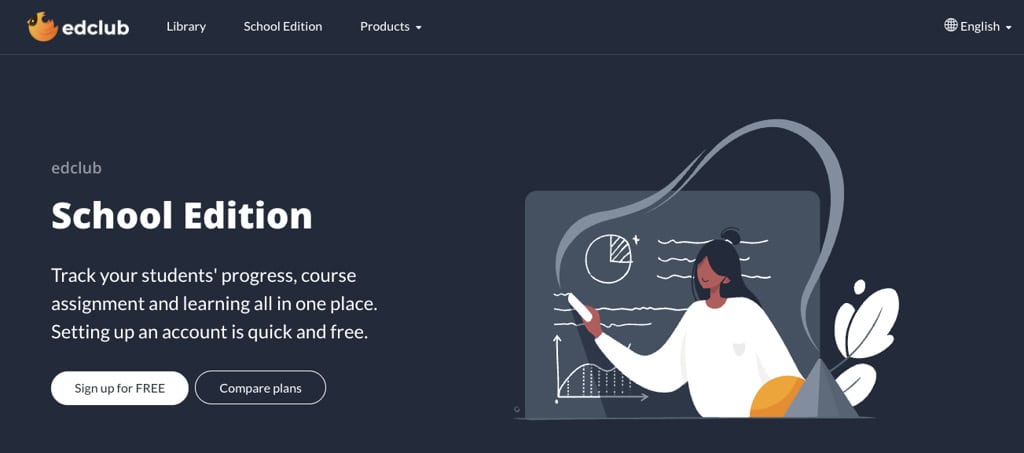
TypingClub is a permanently free K-12 typing curriculum used by millions of students worldwide. The free tier includes ads and limits parent oversight. Both are worth knowing before you sign up — and both are solvable.
Parent monitoring requires registering as a school through the free School Edition via edClub. That means creating a homeschool typing class and adding students as accounts.
It is slightly technical, but once done, it unlocks teacher-level progress tracking, customizable lessons, and class management tools across more than 650 lessons, games, and tests. This is comparable to the oversight that Typing Agent provides at its paid tier, without the cost. After setup, the experience is as capable as premium homeschool typing programs at this tier.
Looking at versions, Jungle Junior covers early learners, with touch-typing foundations and a lighter pace. Typing Jungle carries older students through to advanced fluency.
For motivation, badge systems and character story tracks do the quiet work of keeping younger children engaged across weeks. This is the kind of low-friction motivation that determines whether a child logs in willingly.
Curriculum Verdict
TypingClub offers a strong homeschool typing curriculum. It is genuinely free, and once the School Edition is set up, it competes with premium homeschool typing programs in terms of oversight and customization.
Parents can expect some friction, but it is finite. Fifteen minutes of setup for the school version, done once. There is one caveat to keep in mind here, though.
The setup requires a level of technical comfort that not every parent has, and the School Edition registration assumes you understand what a “class” and “student account” mean in an LMS context. If that sounds unfamiliar, Typing.com’s simpler structure may be a better starting point for you.
Platform: Web | Review: ★★★★☆
Pricing: Free (individual). School Edition (edClub) free for small groups.
Info: Website
8. Keyboarding Without Tears
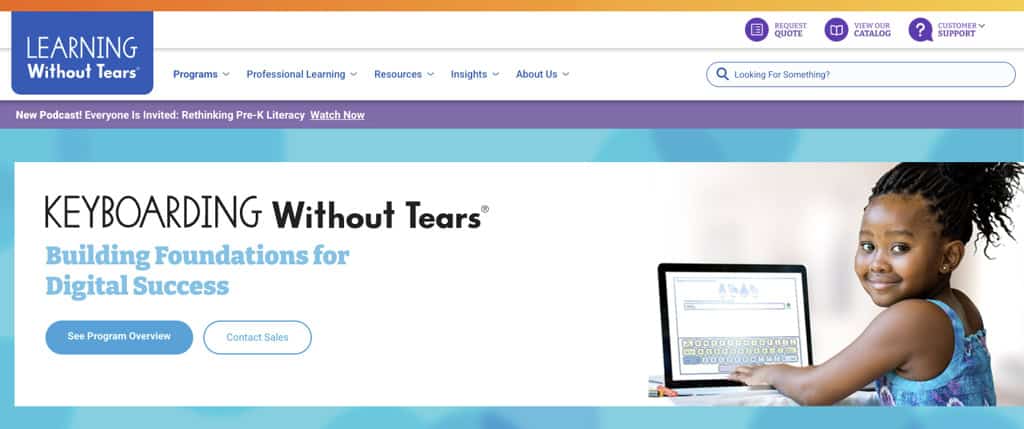
Keyboarding Without Tears comes from Learning Without Tears — the same organization behind the Handwriting Without Tears curriculum widely used in the homeschool community. For families already in that ecosystem, the transition into keyboarding feels natural rather than like starting over.
This homeschool typing program is game-based, covering pre-keyboarding through Grade 5 with color-coded key rows and a graduated skill sequence. The pre-keyboarding stage is worth noting specifically. It builds finger strength and spatial awareness before formal lessons begin, a step most homeschool typing curricula skip entirely.
A parent dashboard tracks speed, accuracy, and completion per student. At roughly $12 per student per year, it is the most affordable paid option here.
However, the scope ends at Grade 5. Families planning beyond a few homeschool years will need homeschool typing programs that carry further. But all good, simply start planning the transition to something like Typing Agent, which picks up from Grade 3 and runs to Grade 12. Or consider Typesy before the child reaches Grade 4, not after they’ve outgrown it mid-year.
Curriculum Verdict
It’s the natural starting point for families already using Handwriting Without Tears, and a genuinely strong pick for early learners regardless. Affordable, game-based, well-supported, with a parent dashboard that works.
The limitation is rather structural, and not incidental. The homeschool typing programs end at Grade 5, and that ceiling arrives faster than most families expect. Used as a foundation rather than a full solution, it earns its place.
Platform: Web, iOS | Review: ★★★★☆
Pricing: ~$12/year per student.
Info: Website
How to Choose the Best Homeschool Typing Program
Most parents approach this like a product comparison. They scan feature lists, check star ratings, and look for something that settles the question. That works for most purchases. The typing program for homeschool tends to stall. Feature lists across these homeschool typing programs are similar enough that they rarely resolve the decision.
The more useful question is what your household actually needs. That narrows the field quickly.
How Many Students, at What Ages?
One child, K-12. One child opening up most of this list changes the decision considerably. It becomes about monitoring preferences, engagement styles, and budgets. A motivated older learner gets everything they need from Typing.com at no cost. Younger children who need more engagement structure tend to do better with Typesy or Typing Agent.
Multiple children. More than one child changes things considerably. Multi-student oversight is where premium homeschool typing programs earn their cost. Ten students, under thirty dollars a year: Typing Agent is the outlier on this list. Typesy costs more and adds AI personalization, typing curriculum depth, and a more sophisticated dashboard. KAZ’s five licenses suit families where one payment matters more than ongoing oversight tools.
K-5 starters. If all your children are in K-5, Keyboarding Without Tears covers that scope cleanly. It connects to the Handwriting Without Tears ecosystem that many homeschool families already use.
Middle and high school. Older students in Grades 6 through 12 need homeschool typing programs with adult-level vocabulary, speed targets, and longer lesson sequences. Typesy, Typing Agent, and All The Right Type all run to Grade 12. TypingClub and Typing.com cover this range and cost nothing.
Does Monitoring Actually Matter to You?
Be honest here. It is worth being honest about this. Some parents check typing progress weekly. Others set a homeschool typing curriculum in September and revisit it in January. Neither approach is wrong.
What good dashboards show. A strong parent dashboard shows WPM, accuracy trends, lesson completion, and which keys a child keeps missing. Homeschool typing programs, including Typesy, Typing Agent, ATRT, and KWT, provide this level of detail. Typing.com and TypingClub require more manual effort to produce the same result.
The right check. Think about the last curriculum your child worked through independently. How often did you actually look at the progress data? That answer tells you which type of homeschool typing curriculum you need.
What Budget Model Fits Your Homeschool Typing Curriculum?
Free works. Both Typing.com and TypingClub are capable homeschool typing programs that deliver genuine value at no cost.
What you give up. Free homeschool typing programs typically trade away parent dashboards, run ads, or require technical setup to unlock monitoring. Typing.com has no native dashboard on free homeschool accounts. TypingClub needs a School Edition setup to access tracking.
Subscription vs one-time. For families planning to homeschool for three or more years, subscription costs add up. Typesy’s annual subscription and KAZ’s one-time purchase are worth calculating against your expected timeline. Typing Agent’s ten-student annual cost, at under thirty dollars, is in a different category entirely.
Any Specific Learning Needs?
Dyslexia and SEN. If a child has dyslexia or a language-based learning difference, TTRS is the clear recommendation. The method integrates typing, reading, and spelling simultaneously. The KAZ Dyslexia Edition is a secondary option for families who want offline access or a one-time purchase.
Attention and ADHD. For attention challenges without a specific literacy difficulty, gamified homeschool typing programs sustain engagement better over time. Typesy, Typing Agent, and TypingClub all fit that description. ATRT is the opposite, by design. Knowing which type of learner you have saves months of frustration.
Under-13 compliance. For children under thirteen, COPPA compliance matters in the US. Typing.com, Keyboarding Without Tears, and TTRS are explicitly COPPA-compliant. TypingClub’s School Edition applies both COPPA and GDPR standards. Always verify a homeschool typing curriculum’s privacy policy before signing up younger children.
Touch Typing vs Casual Practice
Why method matters. Every homeschool typing program on this list teaches touch typing: correct finger placement and keyboard navigation without looking at the keys. This is the skill that sticks. Children who develop hunt-and-peck habits first have more to unlearn later.
Homeschool typing curriculum vs games. Some programs are full homeschool keyboarding curricula with a defined sequence and measurable progression. Others are practice platforms where children improve through games and repetition.
Both have value, but they serve different purposes. ATRT, Typesy, and Typing Agent are structured curricula. TypingClub and Typing.com are closer to practice platforms, with a homeschool typing curriculum structure layered in.
Long-term results. For K-12 homeschool use, a structured homeschool typing curriculum with defined progression goals produces stronger results over time. For supplementary practice alongside other subjects, the free tools work well.
Offline Access and Device Compatibility
Browser-based by default. Most homeschool typing programs here run on any connected device. KAZ’s download version is the only genuinely offline option. If internet access is limited or inconsistent, the shortlist becomes a single item.
Chromebooks and iPads. Chromebooks work with every homeschool typing program here except the KAZ download edition. iPad users will find most programs accessible via browser, with companion apps available for KWT and ATRT.
Best Homeschool Typing Programs – Verdict
Wrapping up our review. Every homeschool typing program on this list is there for a reason. What changes is which reason matches your situation.
Multiple children, full K-12 range.
Typesy Homeschool or Typing Agent. Typesy brings AI personalization, curriculum depth, and a multi-student dashboard to the family typing program question. Typing Agent covers up to 10 students with grade-level tracking included. The gap between them is depth and budget.
One child, monitoring matters.
All The Right Type for structured, ad-free homeschool keyboarding curriculum without game mechanics. Typesy if adaptive tracking and engagement features are the priority.
If the budget is zero.
Typing.com for a single learner who does not require parent monitoring. TypingClub, if you are willing to invest fifteen minutes in the School Edition setup, and want proper progress reporting.
Dyslexia or language-based learning difference.
TTRS. Purpose-built, Orton-Gillingham aligned, and the only homeschool typing program that also builds reading and spelling at the same time.
For young starters, K-5, especially HWT families.
Keyboarding Without Tears. Start early, plan the transition before Grade 5.
One-time purchase or offline access needed.
KAZ Family Edition. Five licenses, one payment, download edition works without internet.
Best Homeschool Typing Programs 2026
- Typesy Homeschool
- Typing Agent
- All The Right Type
- KAZ Family Edition
- TTRS – Touch-Type Read & Spell
- Typing.com Homeschool
- TypingClub (edClub)
- Keyboarding Without Tears
FAQs Homeschool Typing Programs
At what age should children start learning to type at home?
Starting age: 6-7. Many homeschool typing programs begin at age six or seven, once a child confidently identifies letters and can sustain attention for ten minutes. Physical readiness matters as much as cognitive readiness: fingers need enough coordination to reach all keyboard rows comfortably.
Early start advantage. Starting with the correct touch typing technique before hunt-and-peck becomes a habit pays off significantly. A child who begins at seven with proper finger placement will type faster and more accurately by twelve than one who starts at ten with ingrained bad habits. Keyboarding Without Tears is the gentlest structured entry point for this age group.
How long should homeschool typing lessons be each day?
Daily consistency matters. For children under ten, the recommended range is ten to fifteen minutes per session. Older students can sustain for 20 to 30 minutes. Beyond that, improvement diminishes regardless of age.
Short sessions win. Typing Agent recommends ten minutes daily. Typesy structures its adaptive typing lessons for children at home around similar durations. Most homeschool keyboarding curricula are deliberately designed for short, daily practice rather than longer weekly blocks.
Consistency over length. A child typing for 15 minutes every school day progresses faster than one who types for an hour once a week. Embed it in the daily routine as a short subject, not an occasional project.
What should I look for in a homeschool typing program?
Parent dashboard first. A parent dashboard is the most important feature in any homeschool typing program. Look for WPM tracking per student, accuracy trends, lesson completion, and error pattern analysis.
Family licensing. Check how many student accounts are included. Multi-child families need a family typing program, not a single-user license. Typesy, Typing Agent, and KAZ Family Edition all cover multiple students.
K-12 scope. Choose a structured homeschool keyboarding curriculum that runs the full K-12 range. Most classroom tools stop at Grade 5.
COPPA compliance. For children under thirteen in the US, verify COPPA compliance. Typing.com, KWT, and TTRS are explicitly compliant. Use any available free trial before committing, especially for learners with attention or learning differences.
What WPM should my child be reaching at each grade level?
Standard benchmarks. Most homeschool typing curricula use these targets: Grade 3 at 15-20 WPM, Grade 5 at 25-35 WPM, Grade 8 at 40-50 WPM, and high school at 50+ WPM with strong accuracy.
Program support varies. Typing Agent builds grade-level WPM targets directly into its parent dashboard typing software, eliminating guesswork. Most other homeschool typing programs leave benchmarking to the parent.
Accuracy over speed. In early stages, accuracy matters more than speed. A child typing at 20 WPM with high accuracy will develop naturally into a fast typist. Embedded errors take considerably longer to correct.
Does my child need a physical keyboard to learn touch typing?
Yes, essentially. Touch typing builds muscle memory through repeated physical keystrokes. That process requires real key feedback: the resistance and tactile response of actual keys cannot be replicated on a glass screen.
Tablets are supplementary. Tablets help young children explore key placement and work well for early familiarity exercises. As a primary learning device for touch typing specifically, progress is measurably slower, and the habits formed differ.
Bluetooth keyboard solution. Many of the homeschool typing programs here support iPad access via a Bluetooth keyboard. KWT and ATRT both offer dedicated iPad apps. That combination works well as a practical setup for homeschool use.
Are free homeschool typing programs recommended?
Yes and no. It is certainly a good way to try things out before going more structured. The main issue we see for homeschools here is that those services might not be fully GDPR compliant. A user might end up with their private data used for commercial purposes. Furthermore, they are often not ad-free, and the methods used may not align with the latest research.
Sources and Further Reading
On Typing, Writing, and Children’s Development:
Journal of School Psychology (ScienceDirect, 2023) — Peer-reviewed study examining how fine motor skills, handwriting, and typing each contribute to reading development in school-age children.
Journal of School Psychology (ScienceDirect, 2025) — Peer-reviewed study measuring the direct impact of handwriting and typing practice on children’s letter and word learning, with implications for literacy development in early schooling.
NIH / PMC Study (National Institutes of Health, 2017) — Clinical research demonstrating measurable improvement in children’s fine motor skills following structured typing instruction. Freely accessible.
Englishtype Research Summary (Englishtype, 2023) — Plain-language summary of a controlled study showing that children who completed a typing course improved in spelling and narrative writing, alongside typing speed and accuracy.
Research in Developmental Disabilities (ScienceDirect, 2015) — Peer-reviewed study measuring keyboarding outcomes in children following structured typing instruction, including children with learning difficulties.
On Handwriting, Typing, and the Brain
PMC Neuroscience Review (National Institutes of Health, 2025) — Recent peer-reviewed review of brain imaging research comparing handwriting and typing. Useful for parents weighing both skills for their child.
Frontiers in Psychology (Frontiers, 2024) — Open-access study showing how handwriting and typing activate different neural pathways. Balanced and accessible for non-specialist readers.
On Typing, Dyslexia, and Learning Differences
CALL Scotland (University of Edinburgh, 2019) — Honest, research-grounded review of what the evidence does and doesn’t say about typing instruction for children with dyslexia. No commercial interest.
Dyslexia UK (Dyslexia UK charity, 2023) — Practical parent-facing guide to how typing supports children with dyslexia, covering creativity, automaticity, and written output confidence.
Cureus Medical Journal (National Institutes of Health, 2024) — Peer-reviewed case study examining how structured keyboarding instruction reduced frustration and improved academic participation in a child with ADHD and dysgraphia. Freely accessible.
On Homeschooling in the United States
National Home Education Research Institute (NHERI, 2025) — Regularly updated research summary from the leading independent homeschool research organization. Covers enrolment data, academic outcomes, and demographic trends. Referenced by government and academic sources.
Institute of Education Sciences Press Release (US Department of Education, 2024) — Official federal data release reporting that 5.2 percent of US children ages 5 to 17 received academic instruction at home during the 2022–23 school year, up from 3.7 percent in 2018–19.
National Household Education Surveys Program (National Center for Education Statistics) — The federal government’s primary data collection program on homeschooling in the US, including participation rates, curriculum sources, reasons for homeschooling, and subjects taught.
On Children’s Online Privacy and Safety
Children’s Online Privacy Protection Rule (Federal Trade Commission) — Full text and compliance guidance for COPPA, the US federal law governing the collection of personal data from children under 13. Primary source for parents verifying a homeschool typing program’s compliance obligations.
FTC 2025 COPPA Rule Update (Federal Trade Commission, 2025) — Official press release covering the most recent amendments to the COPPA Rule, including new restrictions on third-party advertising and children’s data monetization. Relevant context for families evaluating free homeschool typing programs that run ads.
Engage – What are your thoughts and experiences about homeschool typing programs? Please consider sharing your opinion either by email or the contact form below. If you have any questions, please use our contact form.
Disclosure: This site contains affiliate links to some of our partners’ websites. Typing Lounge may receive a commission for purchases made through these links. It does not add any extra costs. All reviews, opinions, descriptions and comparisons expressed here are our own.